
Managing tickets
By the end of this page, you’ll know your way around the Tickets page - the one place that lists every ticket for your server, whether it’s still open or long since closed.
The list
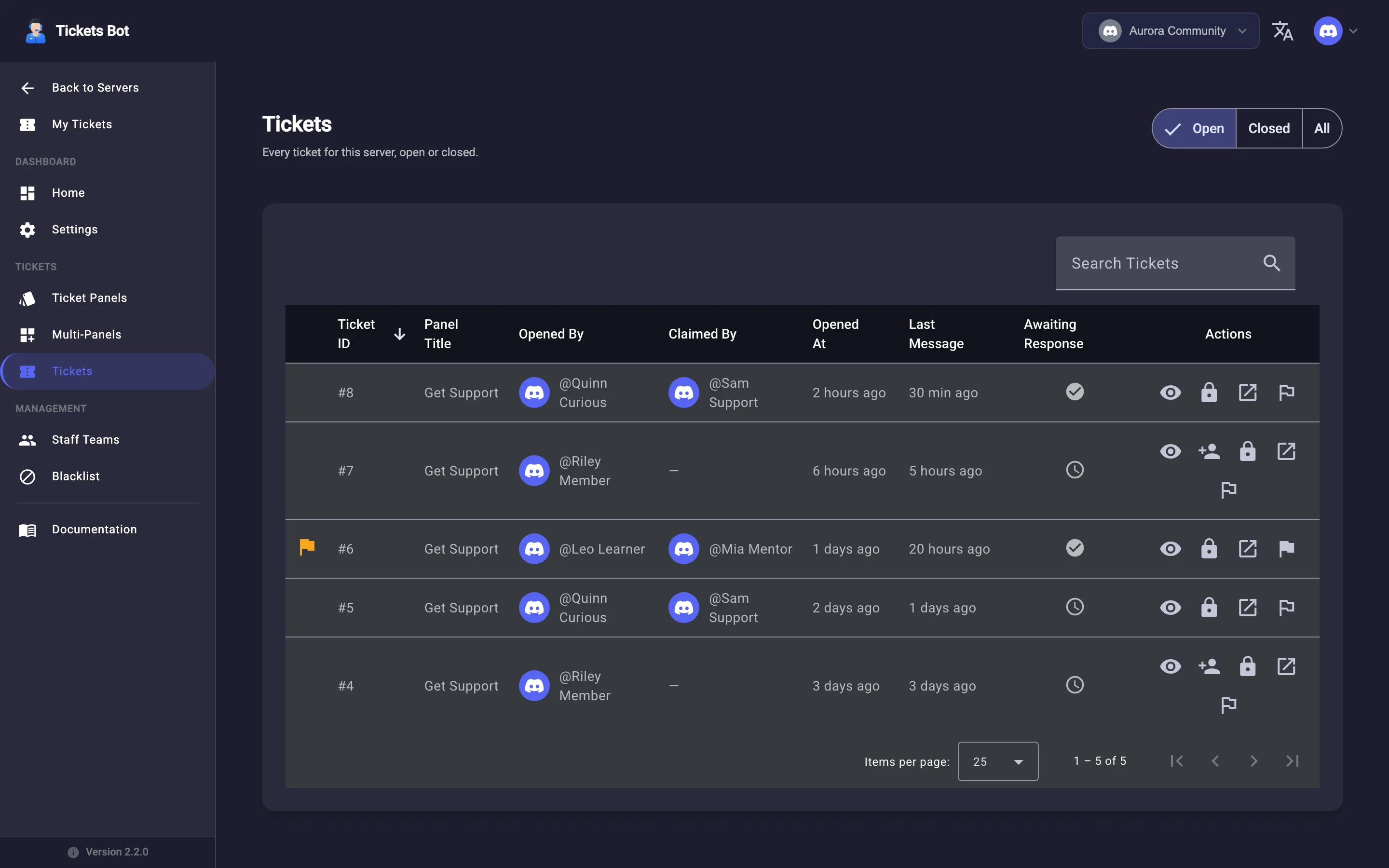
Section titled “The list”Tickets in the sidebar shows every ticket for the server, newest first, with Open, Closed, and All filter tabs at the top. Columns include Ticket ID, Panel Title, Opened By, Claimed By, Opened At, Last Message, Awaiting Response, Closed By, Closed At, and Status. It’s searchable and sortable like every other list in the dashboard.
Row actions
Section titled “Row actions”Depending on a ticket’s state, its row offers: View Ticket (opens the dashboard’s own message view), Open Transcript (once one exists, see Transcripts), Claim / Unclaim, Close ticket, Open thread in Discord, and - on premium servers only - Mark as priority / Unmark as priority.
Priority tickets
Section titled “Priority tickets”Premium servers can flag any ticket as priority from its row action - it sorts to the top of the list with a flag badge, so urgent tickets don’t get buried under a busy queue. See Premium for the full list of what premium unlocks.
Opening a ticket in the dashboard
Section titled “Opening a ticket in the dashboard”Clicking a ticket opens its full message thread in the dashboard - the same conversation as the Discord thread, with a Close ticket button if it’s still open. This is a read/reply-via-Discord view for staff; if you’re the person who opened the ticket rather than staff, see My Tickets instead for the page built for that.
Learn what happens to a ticket’s conversation once it’s closed, in Transcripts.