
My Tickets
By the end of this page, you’ll know how to find every ticket you’ve personally opened, across every server, from one page - and reply to an open one without leaving the dashboard, if your server supports it.
My Tickets is in the sidebar for every logged-in user, whether or not you administer any server. It lists tickets you opened, not tickets you handle as staff (for that, see a server’s own Managing tickets page instead).
Filtering
Section titled “Filtering”Filter by Server, Status (Open / Archived), and a date range (From / To).
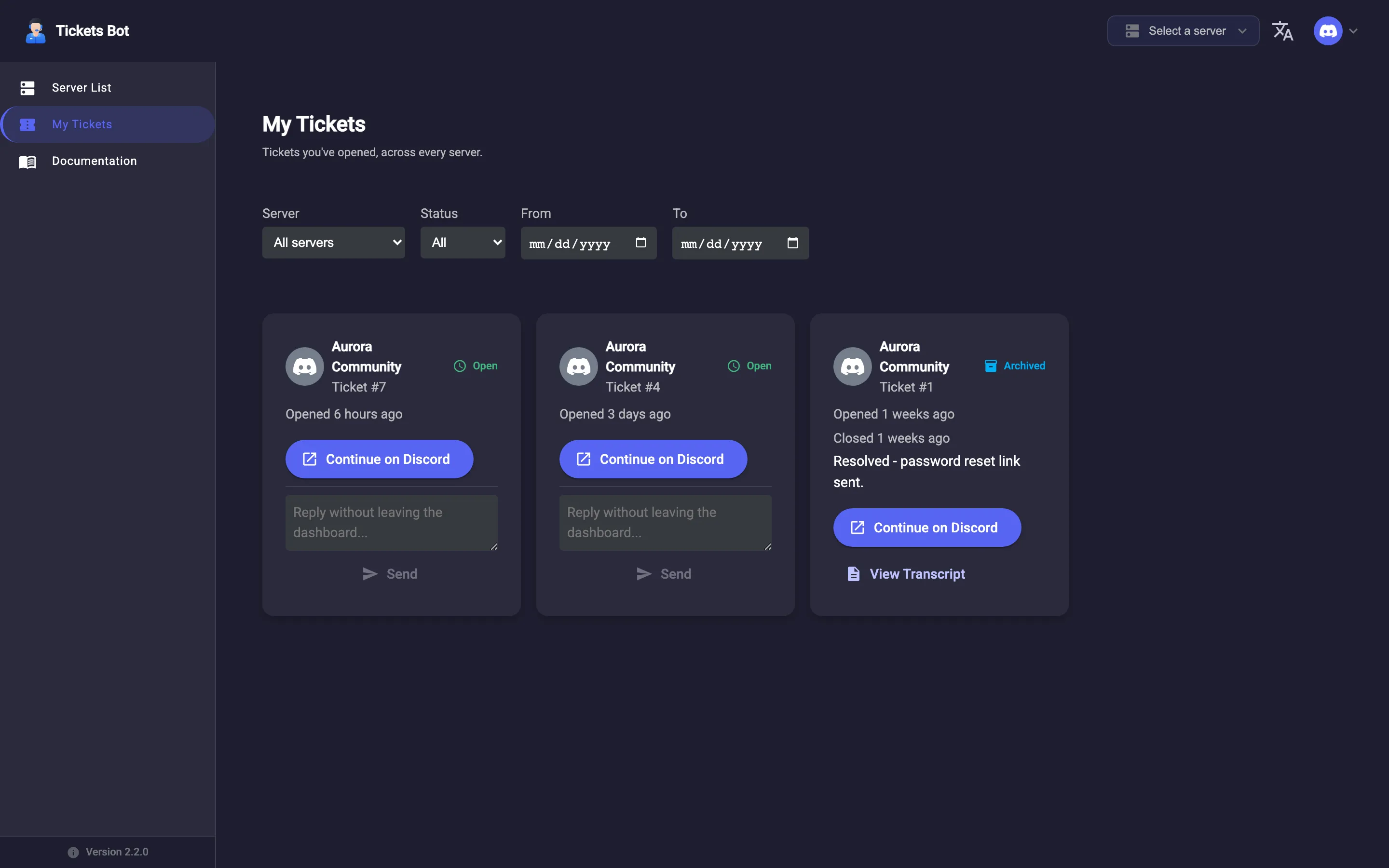
What each ticket card shows
Section titled “What each ticket card shows”Server name and icon, ticket number, an Open or Archived badge, when it was opened (and closed, if applicable), and its reason if one was given. Actions:
- Continue on Discord - deep-links straight to the ticket’s thread.
- View Transcript - once the ticket is closed and a transcript exists (see Transcripts).
Replying from the web
Section titled “Replying from the web”Open tickets on premium servers show a reply box right on the card - type a message and click Send, and it’s posted into the ticket’s Discord thread as a labeled reply, without you needing to open Discord at all. On a non-premium server, the same spot shows a Premium notice instead, and you’ll need to reply on Discord directly. This is gated per-server, based on the premium status of the server the ticket belongs to - not your own account - since premium here is a per-server thing; see Premium for what that means.
See Premium for exactly what premium changes across the product, including this reply box.